← All support articles
How SwimClips Meet IP works
Permanent IP cameras for facilities that host meets often: setup, meet day, upload, and how race videos reach swimmers.
SwimClips Meet IP is for aquatics facilities that host meets often (around 10 a year). It uses off-the-shelf IP security cameras installed permanently in the facility, so you're ready for a meet at a moment's notice. The same cameras run SwimClips Coach at practice.
1. Camera setup
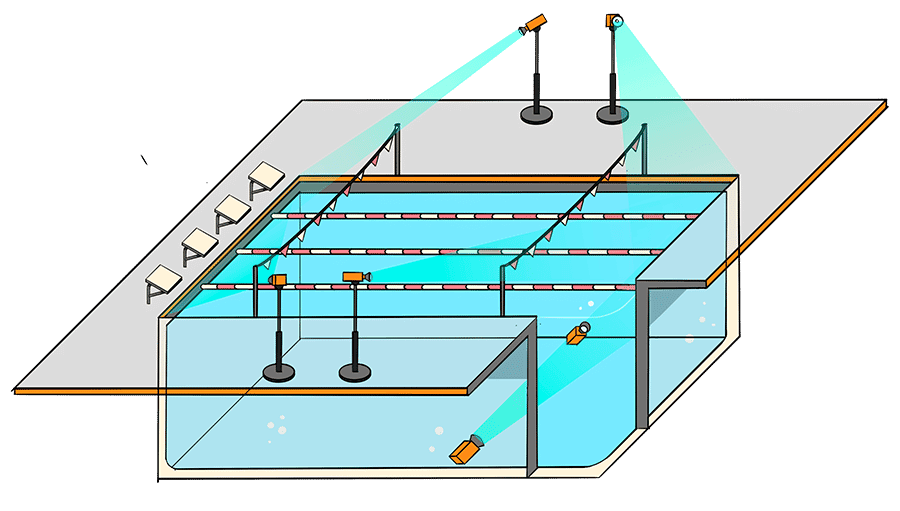
We work with your facility to install IP cameras at set spots around the pool, plus ports for removable underwater cameras.
Off-the-shelf IP security cameras, installed permanently.
Each camera sends its images to a central computer at the facility. No time synchronization needed.
The same cameras work with SwimClips Coach, so you can use them at practice too.
2. Recording
The cameras record continuously for the whole meet, catching every event and heat.
The underwater cameras are IP cameras too, on removable deck mounts. Between meets they go back in the storage closet.

3. During the meet
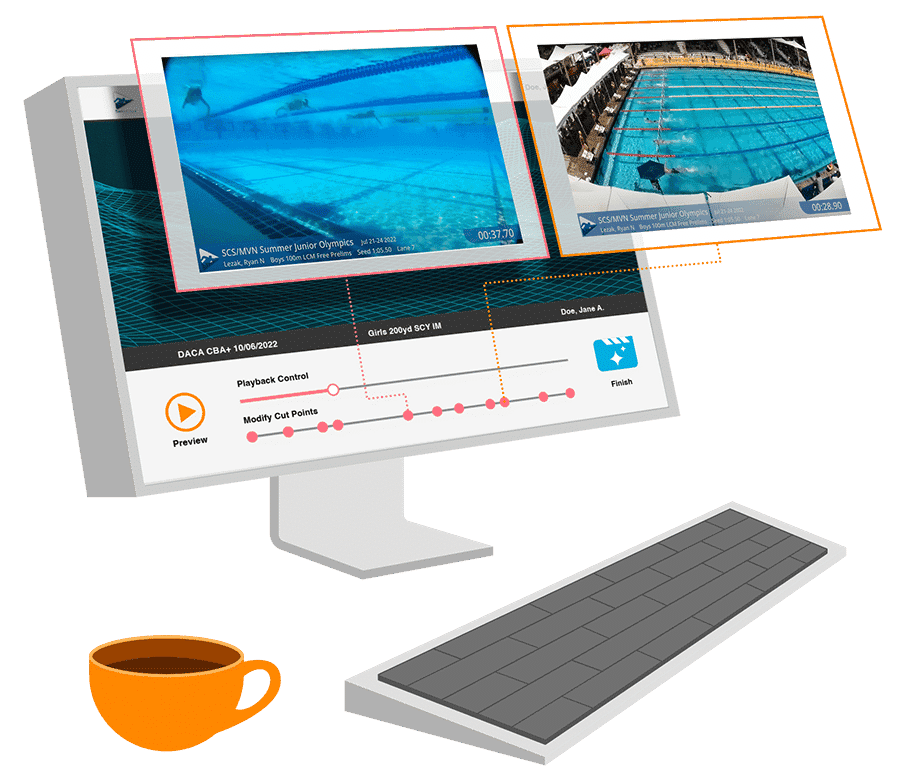
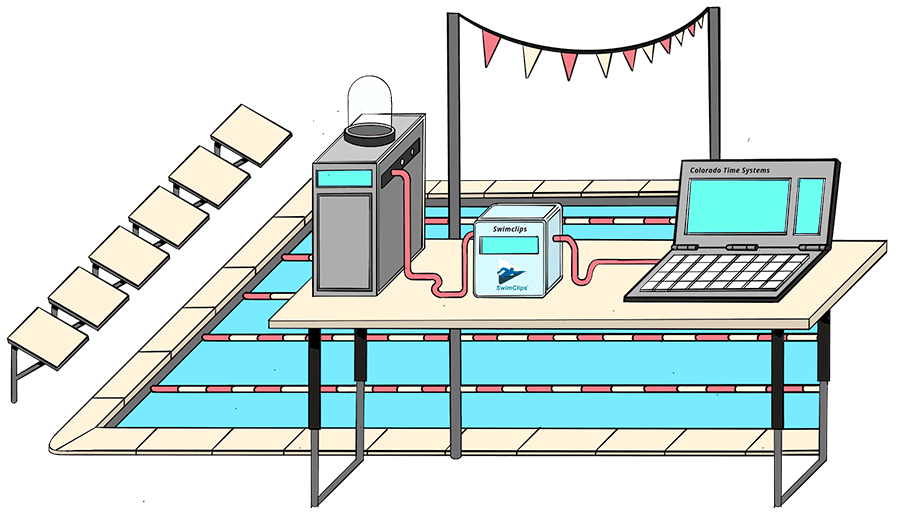
SwimClips recording software captures footage from every camera, so each swimmer gets several angles.
The computer running it connects to the meet's timing and starting system, logging the exact time of every start.
4. After each day of competition
The operator runs the SwimClips uploader (PC or Mac), adds the meet results file from Hy-Tek, and uploads everything to the SwimClips cloud. Our software uses the video, the start log and the results to assemble a personal video for every swimmer.

5. Purchasing and editing
SwimClips builds a multi-camera video of every swim, with lane overlays and on-screen graphics, and offers it to swimmers and parents.
Video sales are shared between SwimClips and your club or facility.
Swimmers and parents can edit their own video in the browser, changing where it cuts between cameras. See Editing your race video.