← All support articles
TiVo Mode and Periscope Mode
Watch your cameras live, or put them on a delay so swimmers can watch the length they just swam.
Both modes open from the same button. Periscope Mode shows your cameras live. TiVo Mode plays them on a delay, so swimmers can come to the wall and watch the length they just swam without stopping the set.
Periscope Mode: watch live
The Live tab already shows every connected camera live, side by side. Spread cameras across the lanes and you can watch the whole group at once.
To look closer at one or two cameras:
In the Live tab, tap the cameras you want. They get a blue outline and a ✓.
Tap the expand icon in the bottom-left corner (two arrows pointing apart).
Leave the delay off, or tap LIVE, to keep watching in real time.
Video coming soon: Periscope Mode with one camera expanded.
TiVo Mode: watch on a delay

In the Live tab, tap the one or two cameras you want on delay.
Tap the same expand icon in the bottom-left corner.
Set the delay to match your interval, for example 20 s.
The controls
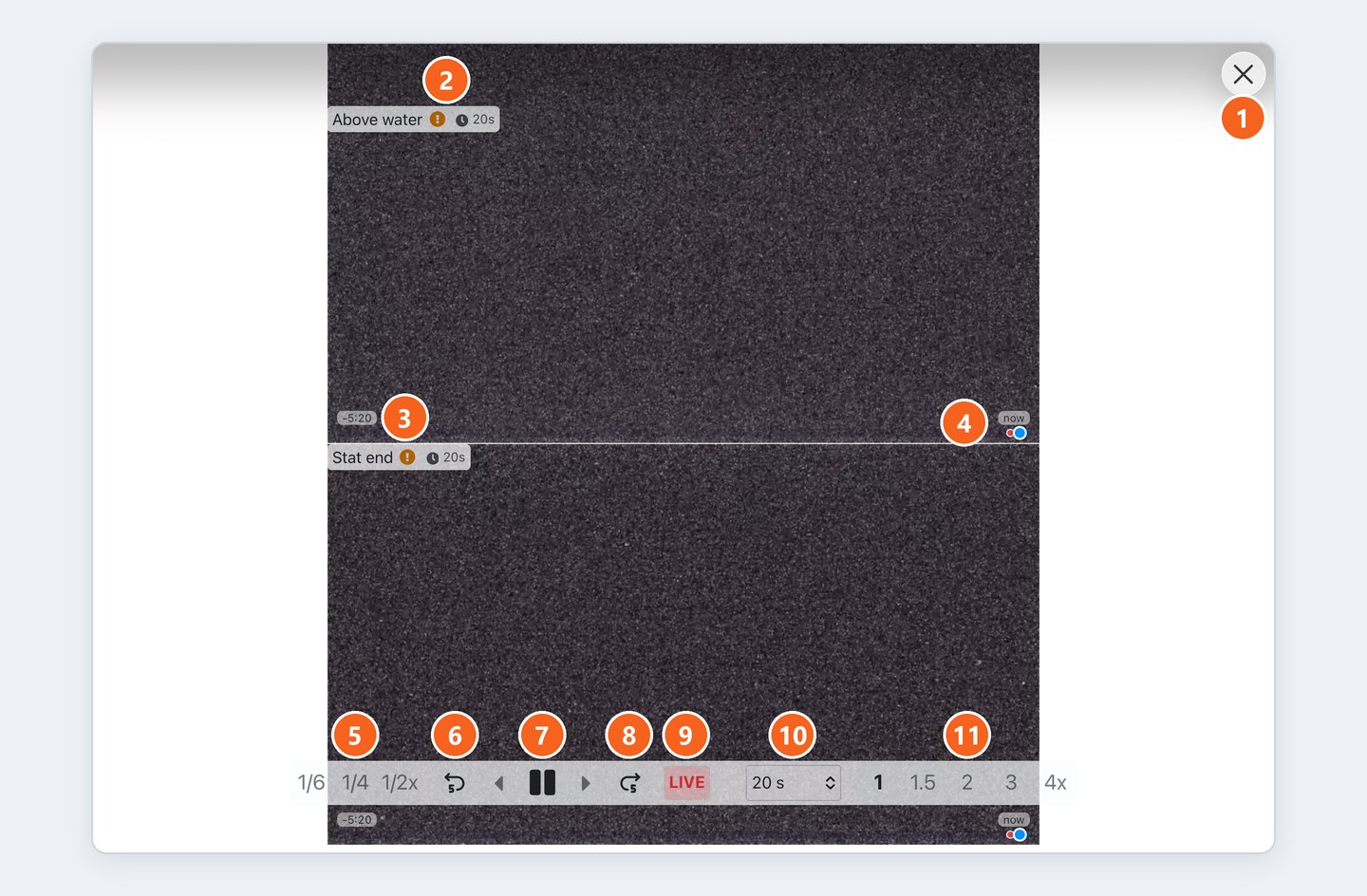
Delay (e.g. 20 s): how far behind live the replay runs.
LIVE: jump straight to live, no delay.
1/6, 1/4, 1/2x: slow motion.
1, 1.5, 2, 3, 4x: speed up. Use these to catch back up to your delay if you paused or replayed too long.
↺5 and ↻5: jump 5 seconds back or forward.
◀ ❚❚ ▶: step back a frame, pause, step forward a frame.
✕ (top right): close the view.
Reading the screen
Each camera label shows its delay, for example 🕒 20s.
An orange ! next to the label means the delay is still filling up. Give it a moment after you start or change the delay.
The time in the bottom-left corner is how far back you can go: a 30-second buffer plus your delay.
Good to know
You can't start a recording from this view. Close it and record from the Live tab.
Heads up: the iPad's own camera can't be used in TiVo Mode. It only works for recordings.
Older app versions
Tap Full Screen in the middle of the screen, below the menu bar.
Choose the one or two camera angles to play on delay.
Choose the delay time.

